Simple Time Life Planner
Simple Web-based Daily Time Planner
Vue.js HTML5 CSS3 LocalStorage Responsive Design
Overview
A daily schedule planner Web Application designed to help users visualize and structure their day. Developed with a focus on ease-of-use and interactivity, featuring responsive layouts and auto-save capabilities.
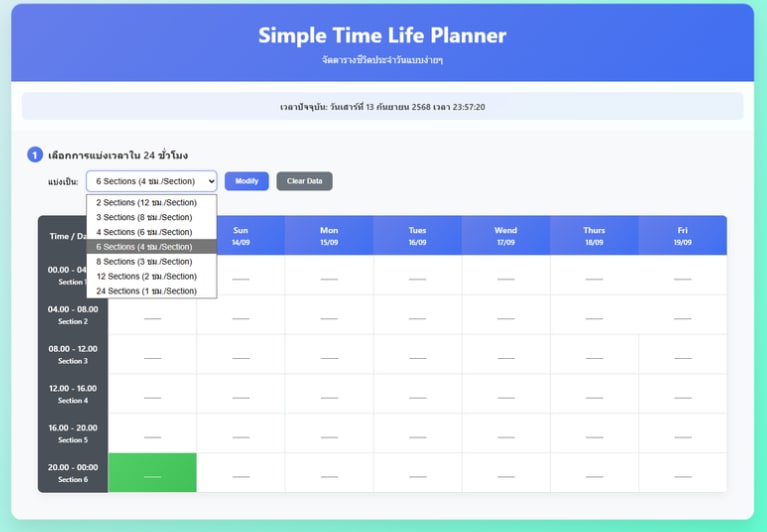
Overview of Simple Time Life Planner
System Architecture & Logic
Built using Vue.js (via CDN) for fast client-side rendering. To ensure maximum privacy and instant availability, it utilizes the browser's 'LocalStorage' instead of a backend database, keeping your data safe and stored locally even after closing the browser.
# Source Code
<!DOCTYPE html>
<html lang="th">
<head>
    <meta charset="UTF-8">
    <meta name="viewport" content="width=device-width, initial-scale=1.0">
    <title>Simple Time Life Planner</title>
    <script src="https://cdnjs.cloudflare.com/ajax/libs/vue/3.3.4/vue.global.prod.min.js"></script>
    <style>
        /* CSS Styles ... */
        * { margin: 0; padding: 0; box-sizing: border-box; }
        body {
            font-family: 'Segoe UI', Tahoma, Geneva, Verdana, sans-serif;
            background: linear-gradient(135deg, #eaecf7 0%, #51ffcb 100%);
            min-height: 100vh; padding: 20px;
        }
    </style>
</head>
<body>
    <div id="app">
        <div class="container">
            <div class="header">
                <h1>Simple Time Life Planner</h1>
                <p>จัดตารางชีวิตประจำวันแบบง่ายๆ</p>
            </div>

            <div class="current-time-info">
                เวลาปัจจุบัน: {{ currentTimeString }}
            </div>
    </div>

    <script>
        const { createApp } = Vue;
        createApp({
            data() {
                return {
                    currentTime: new Date(),
                    selectedSections: 8,
                    sections: [],
                    schedule: {},
                    days: []
                }
            },
            mounted() {
                setInterval(this.updateCurrentTime, 1000);
            }
        }).mount('#app');
    </script>
</body>
</html>