Smart Toilet System
Contactless Smart Toilet System powered by AI
Arduino AI Hand Tracking IoT PictoBlox Smart Automation
Overview
An innovative public toilet prototype utilizing sensor technology and artificial intelligence (AI) to enable completely touchless operations. Designed to prevent the spread of diseases, users can open/close doors, flush the toilet, and open the trash bin using Hand Gestures, complete with automatic occupancy status notifications.
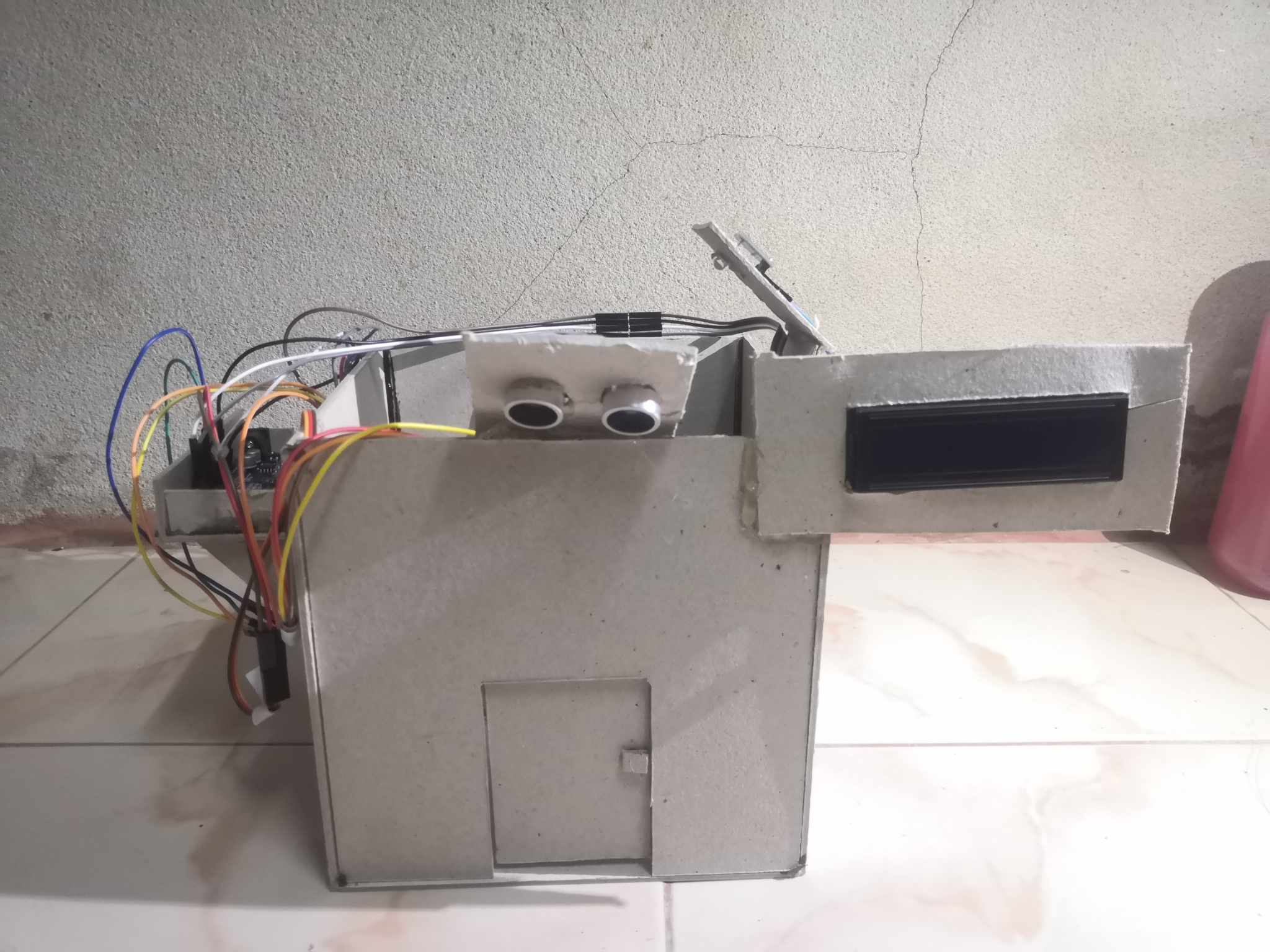
overview of Smart Toilet System (Front)
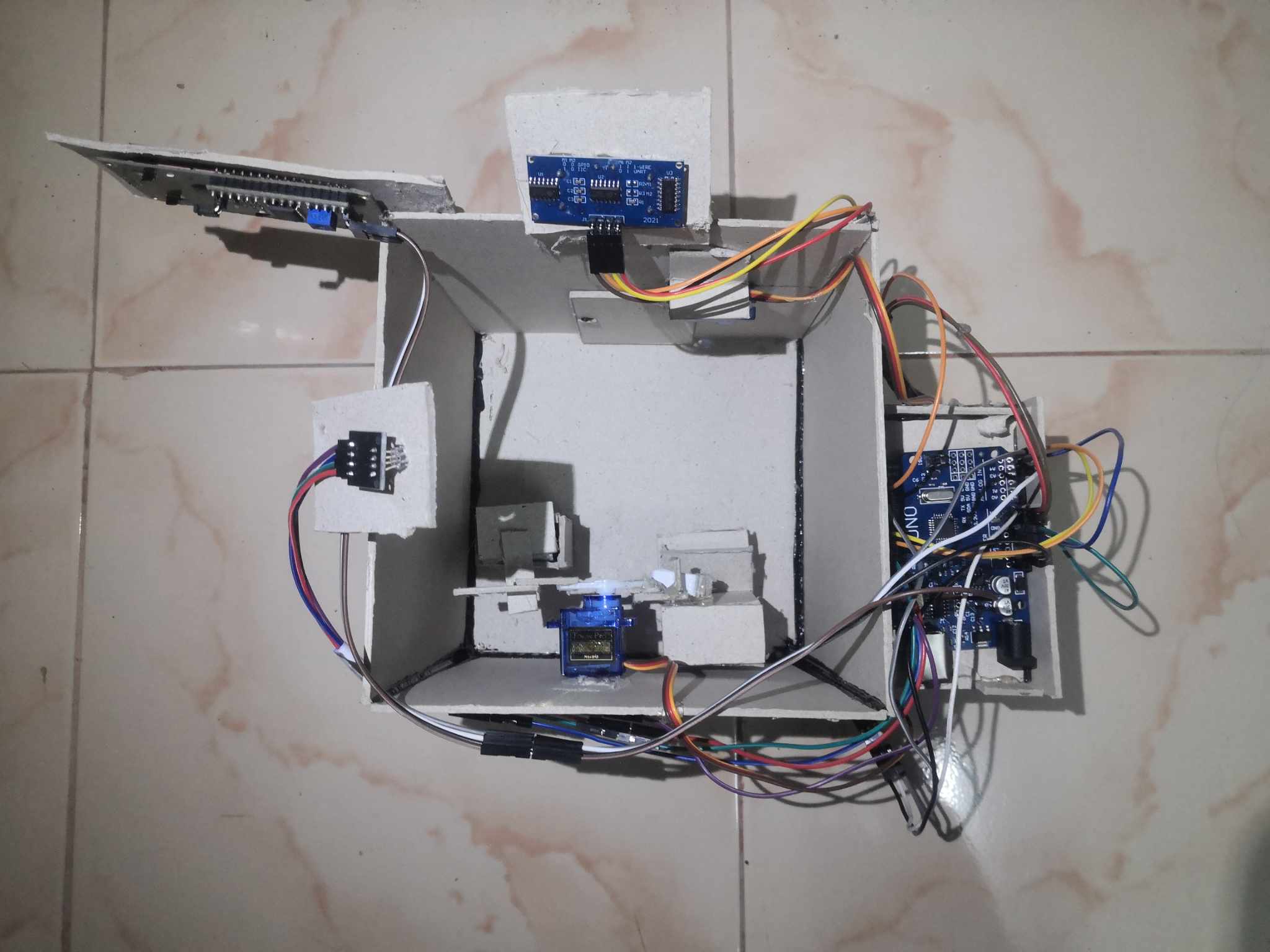
overview of Smart Toilet System (Above)
System Architecture & Logic
The system is controlled by an Arduino UNO board, working in tandem with the PictoBlox programming software and an AI Hand Pose Classifier. It utilizes ultrasonic sensors to detect entry/exit and camera-based hand gesture recognition to control servo motors that drive the mechanical units.
# Source Code
// Smart Toilet System Logic (Arduino Concept)
#include <Servo.h>
#include <LiquidCrystal_I2C.h>

// Define Sensors & Actuators
#define TRIG_PIN 9
#define ECHO_PIN 10
#define DOOR_SERVO_PIN 3
#define FLUSH_SERVO_PIN 5
#define TRASH_SERVO_PIN 6

Servo doorServo;
Servo flushServo;
Servo trashServo;
LiquidCrystal_I2C lcd(0x27, 16, 2);

void setup() {
  pinMode(TRIG_PIN, OUTPUT);
  pinMode(ECHO_PIN, INPUT);
  doorServo.attach(DOOR_SERVO_PIN);
  lcd.begin();
  lcd.print("Welcome");
}

void loop() {
  long duration, distance;
  // Ultrasonic Detection Logic
  digitalWrite(TRIG_PIN, LOW); delayMicroseconds(2);
  digitalWrite(TRIG_PIN, HIGH); delayMicroseconds(10);
  digitalWrite(TRIG_PIN, LOW);
  duration = pulseIn(ECHO_PIN, HIGH);
  distance = (duration / 2) / 29.1;

  // 1. Enter Bathroom Logic
  if (distance < 50) { // Person Detected
    lcd.clear();
    lcd.print("Unavailable");
    openDoor();
    turnOnLights();
    delay(5000); // Wait 5s
    closeDoor();
  }

  // 2. AI Gesture Logic (Receive Signal from PictoBlox)
  if (Serial.available() > 0) {
    char gesture = Serial.read();

    if (gesture == '1') { // 1 Finger Gesture
       flushToilet();
       openTrashCan();
    }
    else if (gesture == '5') { // 5 Fingers Gesture
       openDoor(); // Exit
       turnOffLights();
       lcd.print("Welcome"); // Reset Status
    }
  }
}